Bulk SMS Delivery Report (DLR)
Know whether your SMS reached your recipient.
What is a Bulk SMS DLR?
When you send SMS via the iSMS platform, our server submits the message to the mobile operator's SMSC. The SMSC returns a delivery status back to iSMS — this is your Delivery Report (DLR).
DLR is available when using 2-Way SMS or long/random number routes. It is not available for custom alphanumeric Sender ID routes in Malaysia, as operators do not return receipts for those.
Viewing Your DLR in the Member Portal
Log in to your iSMS member account and open SMS → SMS DLR Report, then filter by date. The cards at the top show total SMS and delivery rate; the charts below break your messages down by status.
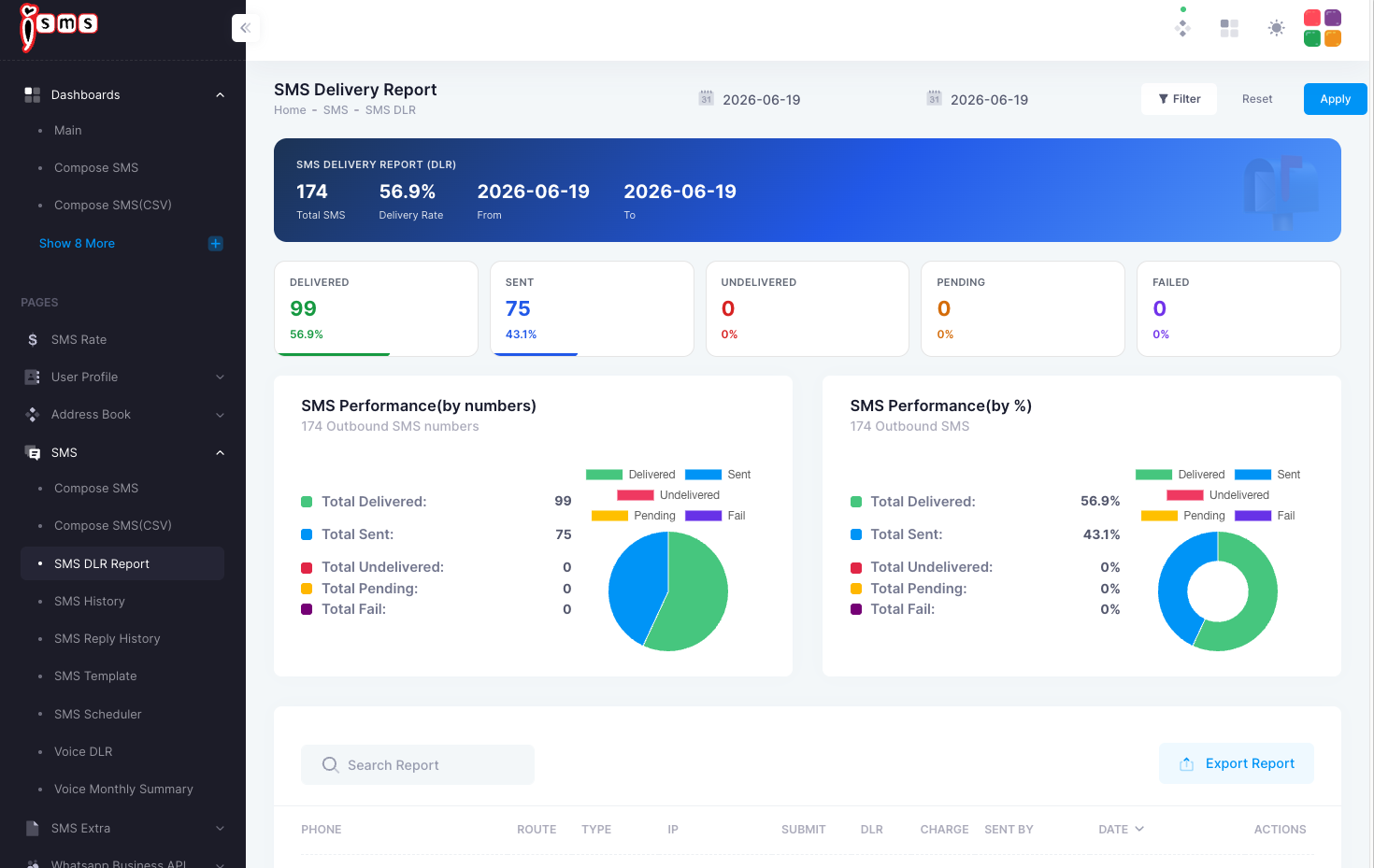
Step-by-step walkthrough: End User Guide — SMS Delivery (DLR) Report →
For a full explanation of each DLR status code (SENT, DELIVERED, UNDELIVERED, PENDING, FAIL), see: iSMS DLR Status Guide →
Please include your iSMS username in any support email.